 English
 български
 Deutsch
 Español
 Polski
 Română
 Türkçe
 Français
 Italiano
 Português

How to Turn One Long Video into 10+ Shorts with AI (Step-by-Step)
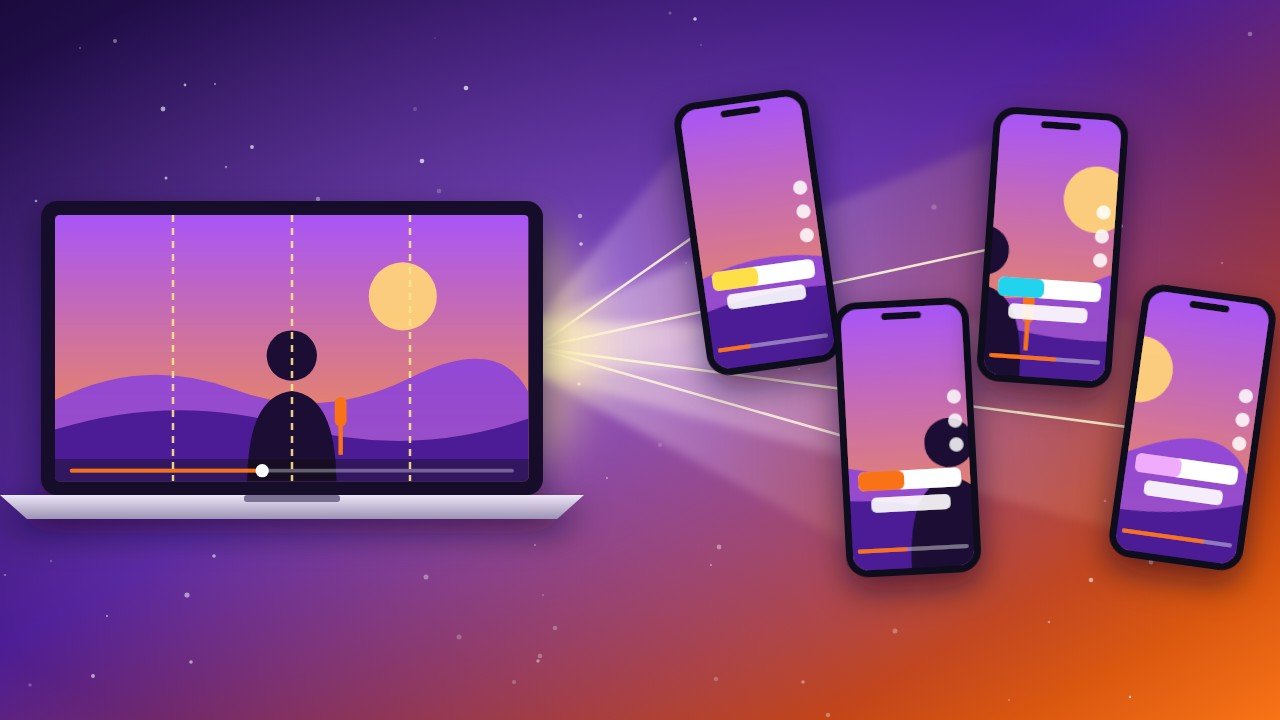
You spent an hour recording a podcast, a webinar or a YouTube video. Now it gets a few hundred views and disappears. What if that same video could become 10 or more short clips for YouTube Shorts, TikTok, Instagram Reels and Facebook, each one bringing new viewers back to you?
In this step-by-step guide you will learn how to turn one long video into viral-ready Shorts with AI in under 30 minutes, even if you have never edited a video before.
Disclosure: some links are affiliate links. If you buy through them, aishopit.com may earn a small commission at no extra cost to you.
Why repurposing long videos into Shorts works
- Short videos get discovered. Shorts and Reels are shown to people who do not follow you yet.
- One recording, many posts. A 30-minute video usually hides 8–15 strong moments.
- Consistency without burnout. You can post daily without filming daily.
- Shorts feed your long videos. Viewers who like a clip often go back to watch the full video.
What you need
- A long video (podcast, interview, tutorial, webinar, live stream or YouTube video), ideally 10 minutes or longer, with clear audio
- Klap – the AI tool that finds the best moments and turns them into vertical clips (you can test one video for free)
- Optional: VEED for extra editing and ElevenLabs for voiceovers or dubbing
Step 1: Pick the right long video
Not every video makes great Shorts. The best ones have:
- Strong opinions, surprising facts or clear "how-to" tips
- Stories with a beginning, a twist and a lesson
- Good sound quality (people forgive average video, not bad audio)
- A face on screen, or clear visuals that explain the point
Tip: start with the video that already performed best on your channel. If people liked the long version, they will probably like the highlights too.
Step 2: Upload it to Klap
- Create a free account on Klap.
- Upload your video file, or simply paste a YouTube link.
- Choose the language of the video and the type of clips you want (for example, Shorts for YouTube, TikTok and Reels).
- Click generate and let the AI do the first cut. Depending on the length, this takes a few minutes.
Klap's AI listens to the topics and the tone and looks at the visuals to find moments that can stand on their own. It then crops them into vertical 9:16 format and keeps the speaker's face in the frame automatically.
Step 3: Review the clips and their virality scores
You will get a list of clips, each with a score that estimates how engaging it could be. Use the score as a guide, not as the final word:
- Keep clips that make sense without context and deliver one clear idea.
- Delete clips that start mid-sentence or end before the point is made.
- Aim for 20–60 seconds. Short enough to keep attention, long enough to deliver value.
Step 4: Make the first 2 seconds impossible to skip
The hook decides everything. Most people scroll away within the first seconds, so:
- Trim the start so the clip begins with the most interesting sentence, not with "So, um…".
- Add a title on screen that creates curiosity, for example "Nobody tells beginners this about…" or "I tested 5 AI tools so you don't have to".
- Start with movement or emotion: a reaction, a bold statement or a surprising number.
Step 5: Style your captions and brand
Most people watch Shorts with the sound off at first, so captions are essential. In Klap you can:
- Choose a caption style with highlighted keywords
- Set your brand fonts and colours so every clip looks consistent
- Add your logo or channel name
- Check spelling, especially names and brand words
If you want more control (extra text, music, B-roll or an intro), export the clip and fine-tune it in VEED.
Step 6: Go global with translation and dubbing (optional)
On higher plans, Klap can translate captions and dub clips into other languages. You can also use ElevenLabs to create a voiceover or dub a clip while keeping a natural voice. A single clip in English, Spanish and German can reach three completely different audiences.
Step 7: Write titles, descriptions and hashtags
Every platform needs a slightly different text:
| Platform | Title / caption tips |
|---|---|
| YouTube Shorts | Title under 60 characters with your main keyword; add #Shorts and 2–3 topic hashtags in the description. |
| TikTok | Short, curious caption plus 3–5 relevant hashtags. Ask a question to get comments. |
| Instagram Reels | First line is the hook; add a clear call to action ("Save this for later"). 3–5 hashtags. |
| One or two friendly sentences and a link to the full video or your website. |
Tip: put a link to the full video in the description or comments. Shorts are the trailer; the long video is the movie.
Step 8: Schedule and publish consistently
- Post 1–2 clips per day instead of all of them at once.
- Test different times and keep the ones that work for your audience.
- Spread one video over 1–2 weeks of content.
- Reply to comments in the first hour; it helps the algorithm and builds community.
Step 9: Measure and improve
After a week, look at three numbers for each clip: views, average watch time and clicks or follows. Find the top 3 clips and ask yourself what they have in common: the topic, the hook, the length or the caption style. Then create more of that.
Common mistakes to avoid
- Posting every AI clip without watching it first
- Clips that need the full video to make sense
- Tiny or hard-to-read captions
- Same caption and hashtags on every platform
- Giving up after a few days; Shorts often take a few weeks to take off
Quick checklist
- Choose a long video with strong moments and clear audio
- Upload it to Klap or paste the YouTube link
- Keep the clips that stand on their own (20–60 seconds)
- Trim the hook so the first 2 seconds grab attention
- Style captions and add your brand
- Translate or dub the best clips (optional)
- Write platform-specific titles and hashtags
- Schedule 1–2 clips per day and track results
Start today
Pick your best long video, run it through Klap and schedule your first five Shorts this week. One recording can keep your channel active for days.
Want to compare more AI video tools? Visit aishopit.com.
Frequently asked questions
Newsletter
Join our subscribers list to get the latest news, updates and special offers directly in your inbox